Skip to content
bmw 33 Sports / Slots
LIVE LOBBY

bmw 33 — Slots, Live Tables and Cricket Markets in One Place

Crash Turbo, Baccarat Grand and cricket sportsbook markets are all inside the same lobby, and your Nagad or Rocket wallet connects straight to your account balance. Availability depends on your local law and eligible region — open an account to see what's active for you.

bKash Nagad Rocket
Browse games
CONTENT / 01

Slots, Live Tables or Sportsbook — Where Do You Start?

Not every visit starts with the same question, so the lobby is built around a category decision first rather than a single promoted title. If you are drawn to spin mechanics and prize-style slot features, the slots section organises titles by studio — PG Soft, JDB and Spadegaming eac

  • Slots by Studio

    The slot shelf is sorted by studio first, so you can browse PG Soft titles separately from JDB, PlayStar or Spadegaming without them mixing together. Each studio card shows the titles available from that provider in the current lobby build.

  • Live Casino Tables

    Baccarat Grand and other live dealer formats run with a real dealer visible on screen. The live casino section filters by table type so you can move directly to baccarat, roulette or other formats without browsing the full slot inventory first.

  • Cricket Sportsbook

    The sportsbook covers cricket as the primary category for Bangladesh accounts — international fixtures and BPL matches sit at the front of the sports market list. Markets are available where local law and your eligible region permit.

  • Crash Games

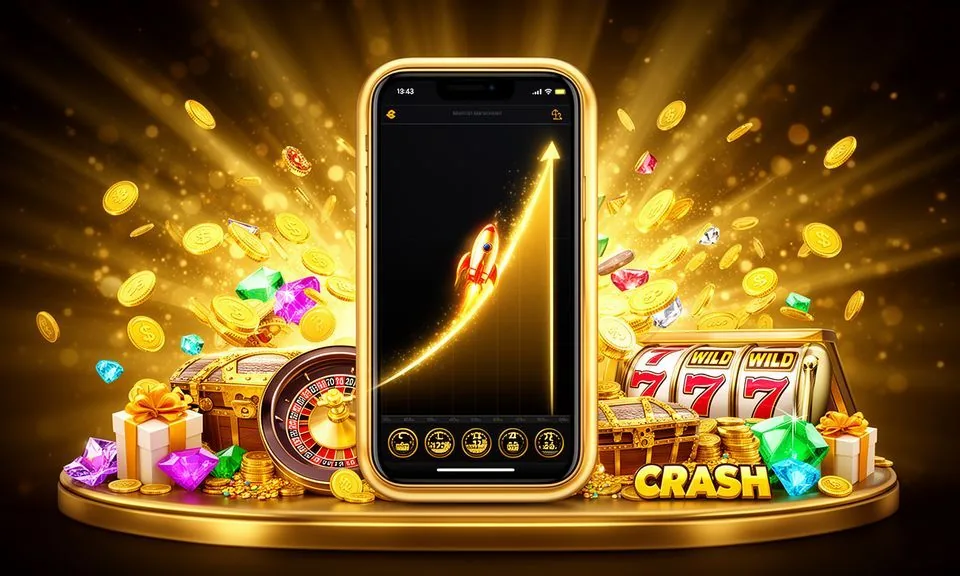
    Crash Turbo and similar crash-format games are grouped under their own filter in the lobby. The format suits shorter session windows — each round completes in under a minute, so you are not committed to a long table session.

TRUST / 03

How We Help When You Need It

Questions about your account, wallet balance or a transaction you don't recognise move fastest when you come to us through the right route. Every verified account has access to our support channel directly from the account dashboard — look for the help icon once you are signed in. If your query involves a transaction you do not recognise, it helps to have the transaction reference number ready before you open the conversation — this single detail allows the support team to locate the record without asking follow-up questions. For account-access issues, the same dashboard help icon routes you to the correct team rather than a general inbox.

  • Wallet Support

    Nagad and Rocket deposit or withdrawal queries move faster when you include the transaction reference your wallet app provides. Find the support channel inside your signed-in account dashboard.

  • Account Help

    Your account settings screen shows linked payment rails, session records and profile verification status. Most routine questions — balance discrepancies, payment method changes, identity step prompts — are answered there without opening a support ticket.

  • Lobby and Game Queries

    Game-loading issues, lobby navigation or category questions are handled through the on-site chat route available on every lobby page. Select the category you were browsing — slots, live casino or sportsbook — before describing the issue, so the team can reproduce th

Learn more →
PLATFORM SIGNALS

What You Can Verify Inside bmw 33

Credibility on a casino site should come from things you can actually check — not from claims buried in small print. Inside your account, every session and transaction is recorded and visible to you. Beyond the transaction log, the account settings area contains controls that let you adjust how the account behaves during a session. These settings are applied immediately once saved and do not require contacting support to take effect. If you want to review what was active during a previous session, the session history entry will show the time the session started and ended alongside any account-level settings that were in place at that time.

  • Transaction Records

    Every deposit and withdrawal linked to your bKash, Nagad or Rocket wallet is logged in your account transaction history. The record shows the amount, the payment rail used, the timestamp and the status.

  • Studio Transparency

    The lobby groups game content by studio so you know exactly whose titles you are playing. PG Soft, Joker, JDB, PlayStar, Spadegaming and Bigtime Gaming each have a visible label on their game cards.

  • Account Status Screen

    Your account settings page shows verification status, linked payment methods and region eligibility in one place. If your account requires an additional verification step, the screen flags it with the specific action needed.

  • Published Support Route

    The support channel is not a generic email address — it is the signed-in help flow inside your account dashboard. That means your account context is already attached to your query when you open it, so you do not have to repeat your account details.

LOCAL PAYMENTS

Nagad, Rocket and bKash in Your Account Wallet

Funding your account starts with the wallet screen inside your signed-in dashboard. Nagad and Rocket sit at the front of the payment method list — not buried in a settings submenu — because those are the rails most used by Bangladesh accounts on this platform.

  • Nagad

    Nagad deposits and withdrawals are processed through the payment flow in your account wallet screen. Enter the amount, follow the confirmation step shown in the Nagad app, and keep the transaction reference your Nagad app generates.

  • Rocket

    Rocket is supported as both a deposit and withdrawal rail. The account wallet screen walks you through the steps: amount entry, mobile confirmation in the Rocket app, and reference capture.

  • bKash

    bKash deposit steps are shown in the account wallet screen once you select bKash as your method. The process follows the standard bKash mobile payment flow your account is already set up for.

  • Bank Transfer

    Bank Transfer is available for accounts where direct bank routing is the preferred method. The account wallet screen shows the specific transfer details — account number, routing reference and amount instructions — at the time of your transaction.

Banking
ACCOUNT JOURNEY

From Registration to Your First Lobby Session

Getting from a new visit to an active lobby session follows a short, ordered path. Registration asks for the details shown on the sign-up screen — email address, a password you set, and your region confirmation. Once registration is complete, a verification step may appear before the wallet screen becomes fully active — this is normal and the prompt will tell you exactly what is needed to proceed. After verification, navigating to the lobby for the first time is straightforward: the main menu categories are visible immediately after sign-in without requiring any additional configuration. If the lobby does not load as expected on your first visit, clearing your browser cache and reloading the page resolves the most common display issues reported by new accounts in Bangladesh.

  1. Step 1 — Register

    Open the account page and fill in the fields shown: email address, password and region. The form is straightforward — no unnecessary fields at this stage. Confirm your email address through the verification link sent to your inbox before moving to the next step.

  2. Step 2 — Verify Your Account

    The account settings screen flags any identity verification steps required for your region. Follow the specific instructions shown there — the fields and document types vary by eligible region and local rules. Completing verification unlocks full wallet and withdrawal access.

  3. Step 3 — Link a Payment Method

    Go to the wallet screen inside your dashboard. Select Nagad, Rocket, bKash or Bank Transfer and follow the on-screen connection steps for that rail. Each method shows its own confirmation flow matching the payment app you already use.

  4. Step 4 — Fund Your Account

    Enter the deposit amount shown within the limits on your wallet screen, confirm through your payment app and keep the transaction reference. Your account balance updates once the payment rail confirms. The transaction history records the amount, rail and status immediately.

  5. Step 5 — Enter the Lobby

    With a confirmed balance, the full lobby is open. Use the category strip — slots, live casino, crash, sportsbook — to navigate to your preferred game type first. The lobby remembers your last session category so repeat visits move faster.

MEMBER DESK / 06

Offers, support and account controls

01

Game lobby

02

Payment guide

03

Support

DISCOVER / 01

Choose your game

Full lobby
GAME NETWORK
PG Soft
Joker
JDB
PlayStar
Spadegaming
Bigtime Gaming
CONTENT / 04

bmw 33 lobby studios

The bmw 33 lobby carries content from PG Soft, Joker, JDB, PlayStar, Spadegaming, Bigtime Gaming. To check the studio, rules or features of one specific game, open that game card or the published information panel.

  • PG Soft

  • Joker

  • JDB

  • PlayStar

  • Spadegaming

  • Bigtime Gaming

MOBILE ACCESS

The Full Lobby in Your Mobile Browser

bmw 33 does not require an app download to access the full lobby from your phone. The registration flow, wallet screen, game lobby, category filters and account dashboard all load through your mobile browser — the same steps you follow on desktop work identically on a mobile screen.

  • Mobile Browser Lobby

    The full lobby — slots, live casino, crash games and sportsbook — is accessible through your mobile browser without any app installation. The category strip uses a swipe rail that keeps all four categories in reach.

  • Wallet Switch Flow

    Completing a Nagad or Rocket deposit from the lobby browser is a switch-and-return flow: open the deposit screen in the lobby, confirm through your wallet app, then return to the same browser tab.

  • Live Table on Mobile

    Live dealer tables including Baccarat Grand stream in the mobile browser with a dealer video feed. The table controls — bet placement, history and game menu — are touch-adapted for mobile screen sizes.
CONTENT / 03

The Full Lobby in Your Mobile Browser

bmw 33 does not require an app download to access the full lobby from your phone. The registration flow, wallet screen, game lobby, category filters and account dashboard all load through your mobile browser — the same steps you follow on desktop work identically on a mobile screen.

  • Mobile Browser Lobby

    The full lobby — slots, live casino, crash games and sportsbook — is accessible through your mobile browser without any app installation. The category strip uses a swipe rail that keeps all four categories in reach.

  • Wallet Switch Flow

    Completing a Nagad or Rocket deposit from the lobby browser is a switch-and-return flow: open the deposit screen in the lobby, confirm through your wallet app, then return to the same browser tab.

  • Live Table on Mobile

    Live dealer tables including Baccarat Grand stream in the mobile browser with a dealer video feed. The table controls — bet placement, history and game menu — are touch-adapted for mobile screen sizes.

FEATURE BRIEF / 05

Crash Turbo and Daily Spin Bangladesh — Two Catalog Anchors

Not all session types suit the same game format, so two titles from the catalog illustrate the range well. Crash Turbo is a crash-format game — each round is short, the multiplier climbs until the crash point, and the session moves fast.

Game feature guide
  • Crash Turbo

    Crash Turbo is the crash game category anchor in the lobby. Short round cycles, a rising multiplier and a crash point make each round distinct from a slot reel spin or a live table hand.

  • Daily Spin Bangladesh

    Daily Spin Bangladesh is a slot-format title in the slots section. It is listed under its studio shelf and the game panel details its reel setup and feature mechanics.

  • Football BetMarket

    Football BetMarket offers a sports-style market mechanic that sits outside the standard slot and live casino categories. It suits accounts that prefer market-based gameplay over reel spins or table hands.

ACCOUNT DESK

Account information

Review current account information after signing in.

Login
PLAYER INDEX / 07

Lobby Terms and Account Concepts Explained

New accounts sometimes encounter terms in the lobby or account screen that are not immediately clear. This section covers the most common ones with plain explanations so you can navigate the platform without needing to open a support query for a vocabulary question. The term wallet refers to the internal account balance screen where deposits and withdrawals are managed — it is separate from the game interface itself. Session history is the log of all activity recorded against your account, including login times and any changes made in settings. The term lobby describes the full game selection screen you land on after signing in.

Player guide and glossary
  • What does 'studio' mean in the game lobby?

    A studio is the company that built and supplies a slot or table game. In the bmw 33 lobby, studios listed include PG Soft, Joker, JDB, PlayStar, Spadegaming and Bigtime Gaming. The studio label on a game card tells you whose game mechanics and visual design you are playing.

  • What is RTP and where do I find it?

    RTP stands for Return to Player and is a statistical percentage published by a game's studio describing the theoretical long-run return rate. bmw 33 shows RTP only inside the game panel for titles where the studio itself publishes that figure.

  • What is a transaction reference and why does support ask for it?

    A transaction reference is the unique code your payment app — Nagad, Rocket or bKash — generates when you complete a payment. It looks like a string of numbers or letters inside your wallet app's transaction history.

  • What does account verification status mean?

    Verification status describes whether your account has completed the identity steps required for your registered region. A verified account has full access to deposits, withdrawals and the complete lobby.

  • What is a crash game and how is it different from a slot?

    A crash game runs in short rounds where a multiplier climbs from a start point until the game crashes. You decide when to exit before the crash to lock in the multiplier at that moment. A slot game uses spinning reels with fixed or variable paylines and symbol combinations.

  • What does 'eligible region' mean on the account screen?

    Eligible region refers to whether your registered location allows access to the platform's games and markets under applicable local law. bmw 33 does not determine local law — your account screen reflects the eligibility status confirmed during registration.

Full glossary
LOBBY / 02

One mobile lobby, distinct game areas

Cricket Hotlines Sports Cricket Hotlines Access → Baccarat Grand Live Baccarat Grand Access → Daily Spin Bangladesh Slots Daily Spin Bangladesh Access → Football BetMarket Sports Football BetMarket Access → Crash Turbo Slots Crash Turbo Access → Bangladesh Night Spins 501 Slots Bangladesh Night Spins 501 Access →
EXPLORE FURTHER / 04

Explore detailed guides

Local lobby check

QUICK ANSWERS

Frequently asked questions

These are the questions that come up most often from accounts in their first sessions. The answers point to the specific screen or step where you find the information, rather than giving a general reassurance.

Read FAQ →
How do I deposit using Nagad on bmw 33?

Sign in to your account and go to the wallet screen in your dashboard. Select Nagad from the payment method list and enter the deposit amount shown within the limits on your screen. The flow then walks you through the confirmation step in the Nagad app.

Can I use bKash to withdraw, not just deposit?

The wallet screen in your account shows which payment rails are available for withdrawal based on your account's verified status and eligible region. bKash is listed as a supported deposit method; withdrawal availability for bKash follows the specific conditions shown in your wallet screen at the time of the request.

Do I need to download an app to access the lobby on my phone?

No app download is required. The full bmw 33 lobby — slots, live casino, crash games, sportsbook and your account dashboard — loads through your mobile browser. Registration, wallet management and game access all function through the browser on the same device you use for Nagad, Rocket or bKash payments.

Which studios supply the games in the lobby?

The bmw 33 lobby carries game content from PG Soft, Joker, JDB, PlayStar, Spadegaming and Bigtime Gaming. Each studio is labelled on its game cards and filterable through the studio strip in the lobby. These studios supply slot titles, live dealer table games and game lobbies.

What happens if my Rocket deposit is still pending after I return to the lobby?

Check your Rocket app's transaction history first — if the payment shows as confirmed there and your account balance has not updated, open the support channel in your signed-in dashboard with the Rocket transaction reference. The reference allows the support team to match the payment on the platform side.

How do I find cricket sportsbook markets in the lobby?

From the lobby category strip, tap or click the sportsbook category. Cricket is listed as the primary sport in the sportsbook section for Bangladesh accounts, covering international fixtures and BPL matches where markets are available. Market availability depends on your registered eligible region and applicable local law.

Can I see my full session history on bmw 33?

Yes. Your account dashboard includes a session history screen that records each login, the games or markets accessed and the transactions completed in that session. Transaction records show the payment rail, amount, timestamp and status.

What if a game does not load in my mobile browser?

First, check your mobile data or Wi-Fi connection — live casino tables in particular require a stable connection for the dealer video feed. If the connection is stable, try refreshing the browser tab and opening the game again from the category filter rather than a bookmark.

READY WHEN YOU ARE

bmw 33 game lobby

Access may be available only where local law permits.

Register Login